

Products Description
Product Overview
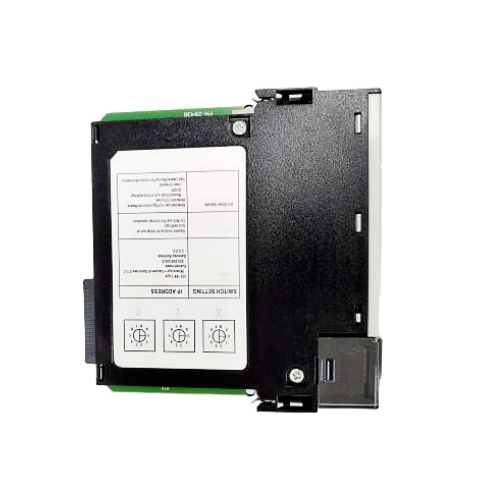
The 1756-EN2T is a high-performance Ethernet communication module specifically designed for the ControlLogix platform. It supports the EtherNet/IP protocol, an industrial protocol developed based on standard Ethernet technology and widely used in industrial automation applications. The module connects to the Ethernet via a standard RJ45 port and supports communication rates of 10/100 Mbps.
Compared to earlier models, the 1756-EN2T module enhances performance, offering higher connection capacity and faster I/O packet rates, enabling it to better address the demands of modern complex automation systems.
Key Features
EtherNet/IP Communication: Acts as a bridge between the ControlLogix controller and the EtherNet/IP network, enabling high-speed, real-time communication between the controller and other devices on the network.
High Connection Capacity: Supports up to 256 Logix communication connections and 128 TCP/IP connections, capable of handling large-scale I/O and data exchange tasks.
Data Routing: The module has routing capabilities, enabling messages to be routed from the EtherNet/IP network to other modules on the ControlLogix rack backplane or from one network to another.
Diagnostics and Troubleshooting: Provides comprehensive diagnostic features and LED status indicators to help users quickly identify and resolve network connectivity and communication issues.
Security Features: To address industrial network security threats, the module supports security features such as encrypted communication and authentication to protect sensitive data and prevent unauthorized access.
Multiple Configuration Methods: Supports IP address setup via the module's top-mounted dip switches, BOOTP/DHCP server, or Rockwell software (such as RSLinx or Studio 5000), offering flexible configuration options.
Usage
The 1756-EN2T module is used as follows:
Hardware Installation: insert the module into any available slot in the ControlLogix rack.
Network connection: Connect the module to your industrial Ethernet using a standard RJ45 Ethernet cable.
IP address configuration: This is a critical step in using the module. You can set the IP address using three primary methods:
Dip switches: Set a value between 1 and 254 on the dip switches at the top of the module, and the module will automatically assign an IP address (default network is 192.168.1.xxx).
BOOTP/DHCP: Use Rockwell's BOOTP/DHCP tool or a DHCP server to assign the IP address.
Studio 5000 Software: Use the Studio 5000 Logix Designer software via USB or network connection to configure the module's IP address and other network parameters.
System Integration: In Studio 5000 software, add the module to your project tree and configure its communication connections.
Operation and Monitoring: The LED indicators on the module display network status, module status, and communication status. You can perform online diagnostics and monitoring via the software.

Quick Quotes :
Receive price & availability FAST from our dedicated customer service team ( Email: xingruijia@foxmail.com)Delivery :
Expedited, Freight, And International Shipping Available.
Warranty :
If there's a problem, we'll make it right. Your satisfaction is how we measure success!Returns :
No hassle return policy.Repair :
Our team of engineers are creative problem solvers who understand your challenges.Shelf Life:
12